Own the work
Make owners, due dates, and current state obvious across risks, controls, vendors, audits, evidence, and follow-through work.
Built for lean security and compliance teams
DeepBlu Navigator gives B2B SaaS and regulated teams one accountable system for ownership, readiness, evidence, and weekly follow-through after spreadsheets and disconnected trackers stop scaling.
What teams usually need to validate first
The real question is whether one system can hold the weekly work together without creating more drag.
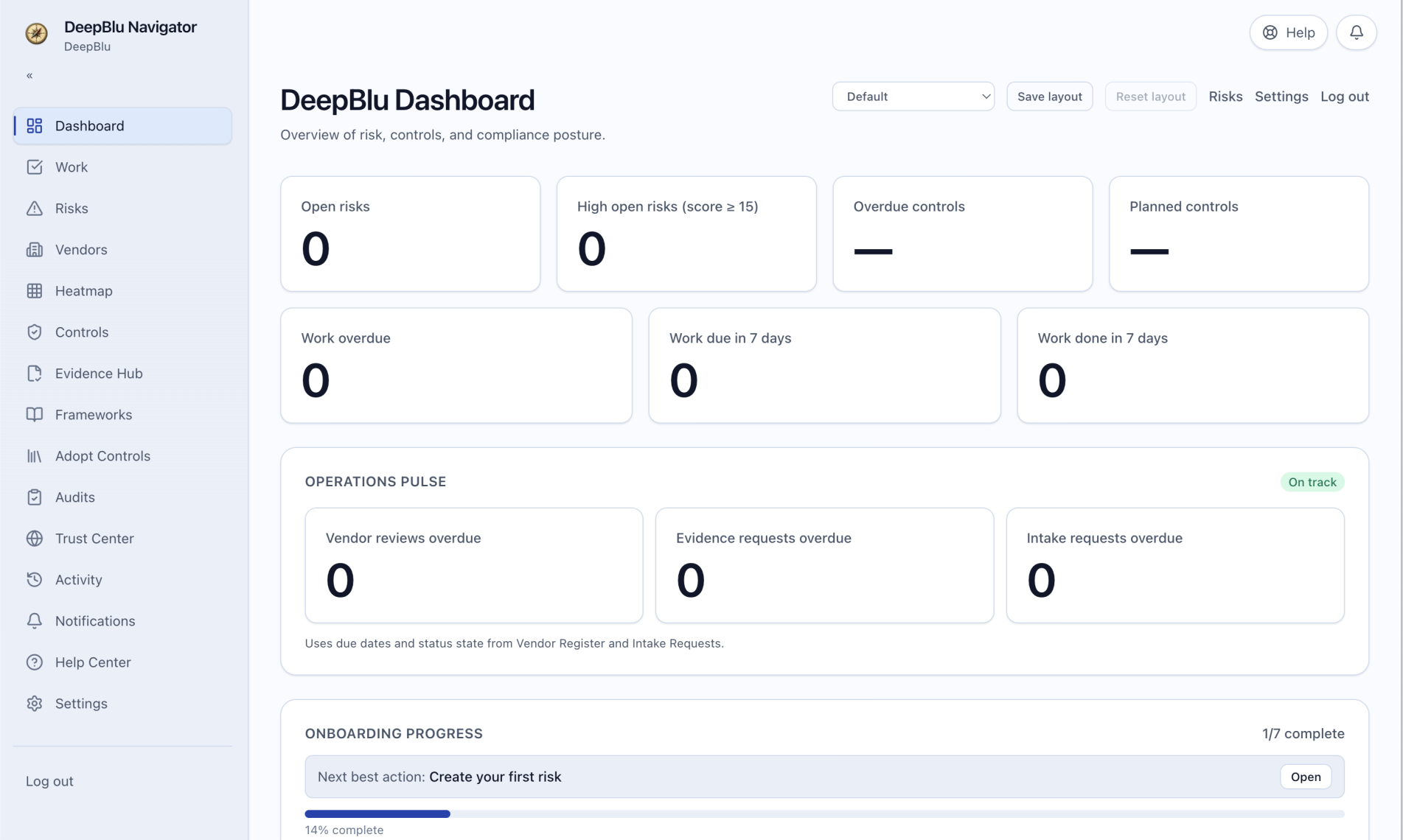
Inside the product
These are usually the first places where the difference between a passive tracker and an operating system becomes obvious.
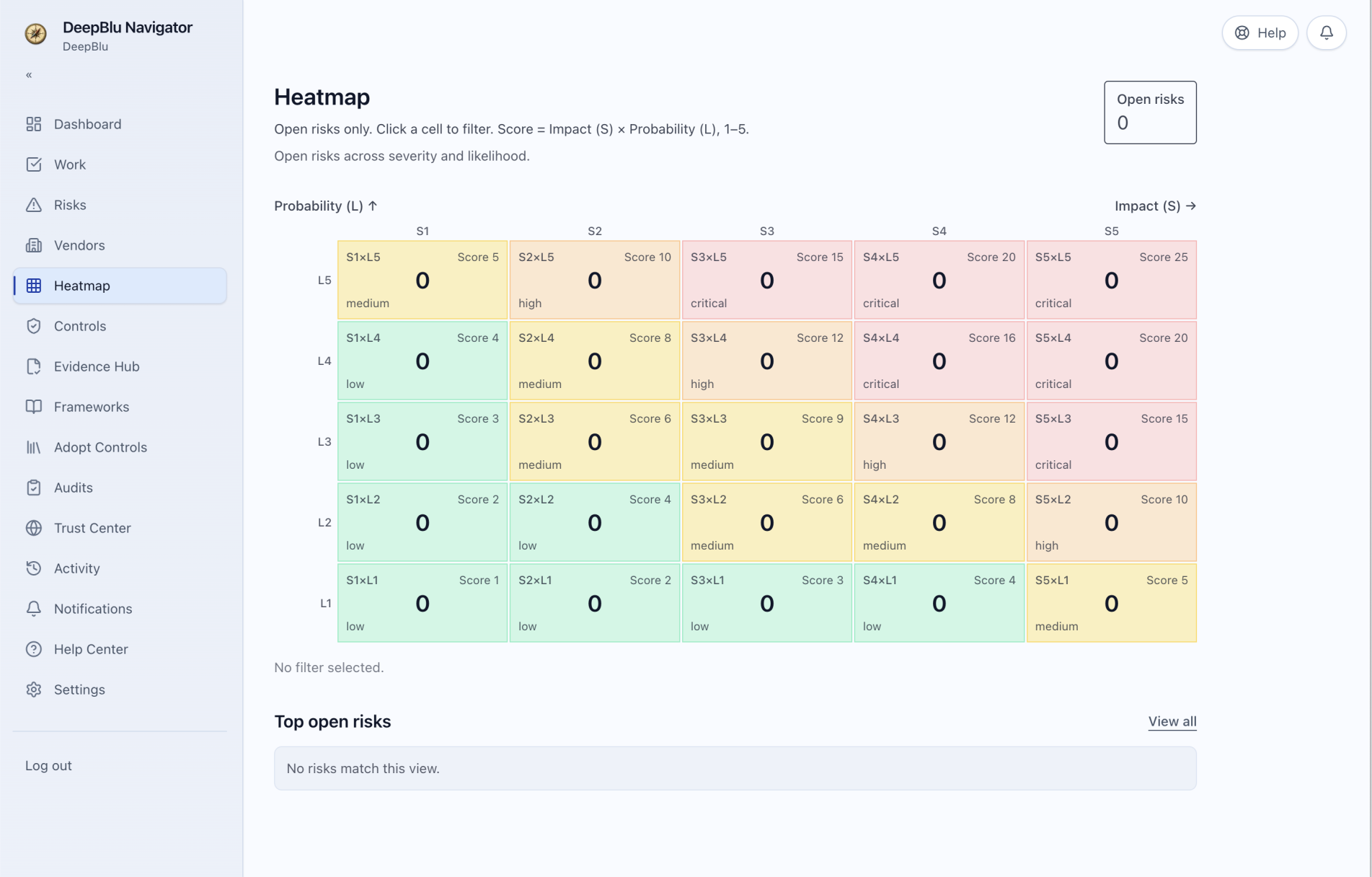
Move from risk visibility into treatment, ownership, timing, and the next operating action without leaving the workflow.
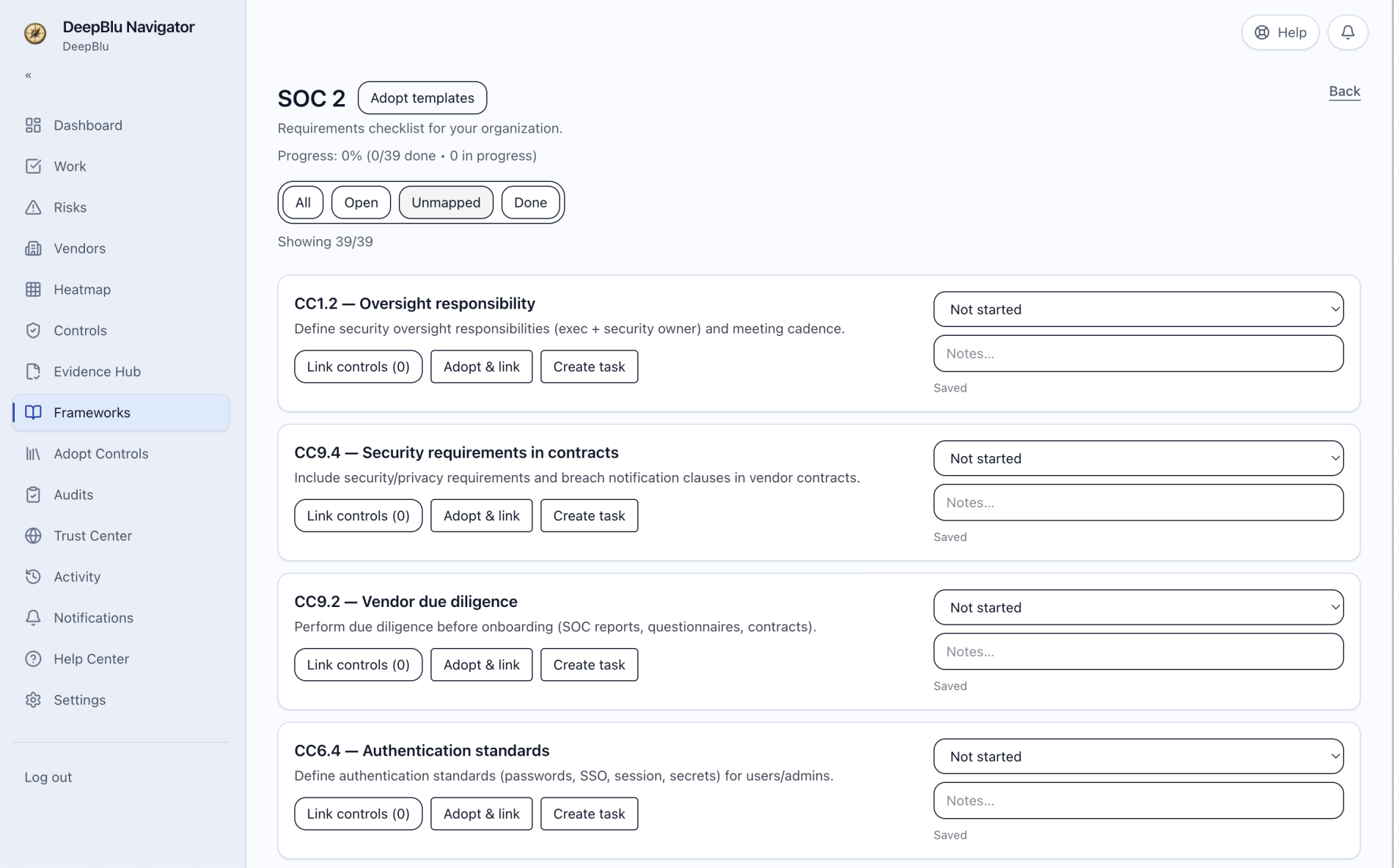
Run controls as active obligations tied to ownership, evidence, linked work, and framework requirements.
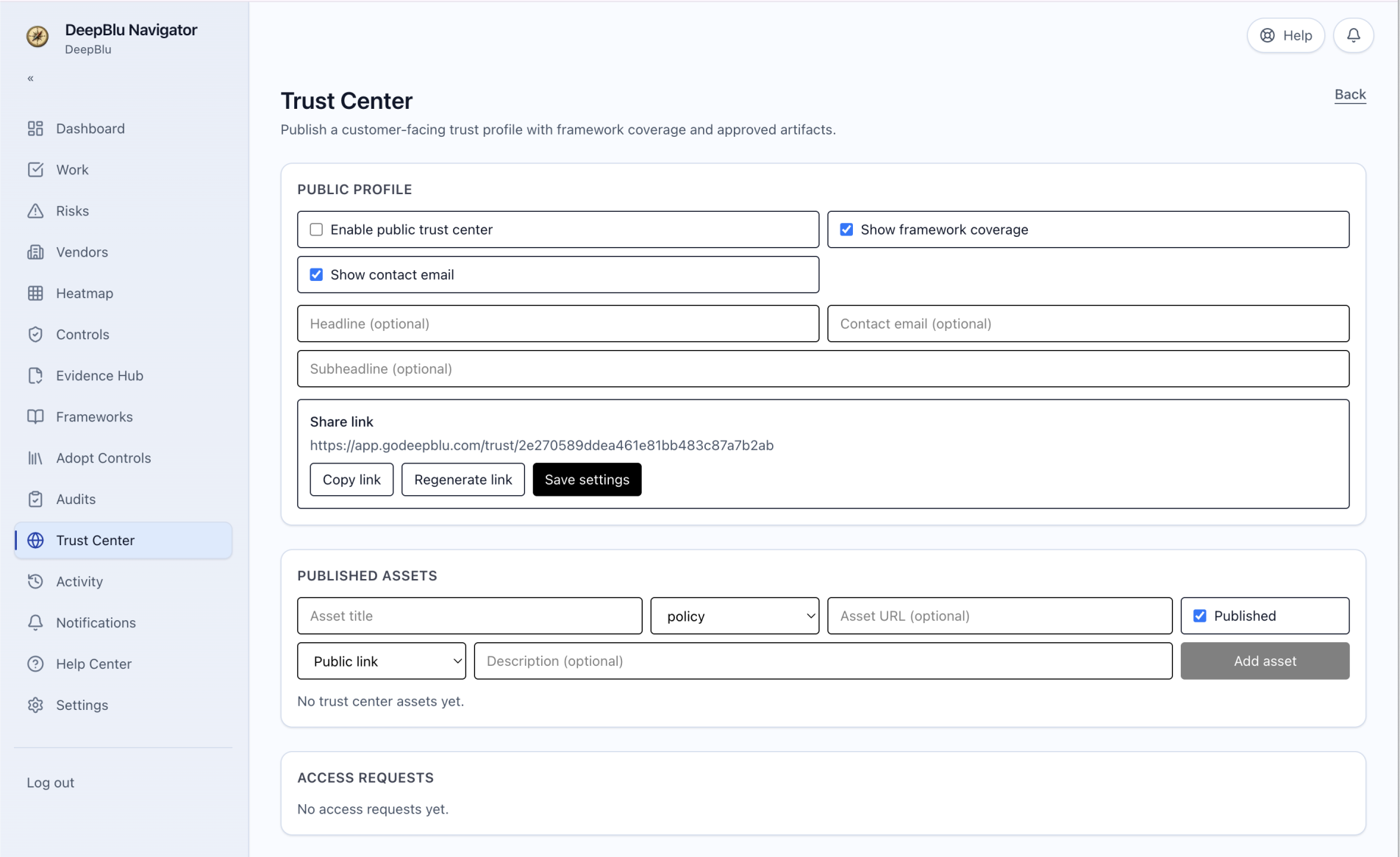
Support diligence requests and assurance conversations from the same operating system behind your readiness and evidence work.
Category fit
Teams evaluating GRC software, compliance management software, vendor risk management software, or trust center tools are usually trying to solve one broader problem: keeping ownership, evidence, and follow-through together in the same operating system.
Run frameworks, controls, evidence, and audit readiness in one system instead of spreading ownership across spreadsheets and disconnected tools.
SOC 2 compliance softwareKeep risk visibility connected to treatment decisions, owners, due dates, and the follow-through work leadership needs to understand.
See the productTrack vendor reviews, evidence requests, intake decisions, and review status without losing the operating context behind each decision.
Vendor risk workflowSupport customer diligence and trust conversations from the same operating system that holds your readiness, evidence, and review history.
Trust center workflowPlatform scope
Navigator is broad enough to unify the core workflows while staying legible for a growing team.
Assign ownership, capture execution state, and tie the work back to real framework obligations.
Run a live operating record with treatment decisions, accountability, and clearer executive visibility.
Keep requests, evidence follow-through, exports, and readiness work connected instead of scattered across separate lists.
Run vendor reviews, evidence requests, intake decisions, and customer trust responses from the same operating system.
What teams usually want to validate first
Before pricing becomes the real question, most teams want to know whether the product is grounded in real operating work and whether adoption can start without turning into a heavy transformation project.
Framework coverage
SOC 2, ISO/IEC 27001, NIST CSF 2.0, PCI DSS 4.0.1, HIPAA, CIS Controls v8, and 23 NYCRR 500.
Commercial model
No seat-based pricing, so operators, reviewers, and leaders can collaborate without extra friction.
Trust workflows
Trust Center, request handling, vendor evidence, and diligence workflows are part of the operating model.
Starting path
Teams can start with risk, vendors, and operational work first, then expand into controls, evidence, audits, and trust.
Teams should understand how Navigator is reviewed, what a practical pilot looks like, and how support stays tied to real workflow adoption.
Review the approachTeams can begin with the workflows that hurt first, then grow into broader controls, evidence, audit, and trust operations.
Review the productPer-organization pricing makes it easier to involve leadership, operators, and reviewers without adding seat friction.
See pricingPricing
Navigator is priced per organization. Annual plans are the default. Month-to-month is available at a premium for teams that need more flexibility.
A strong starting point for teams that need risk visibility, vendor oversight, and operational work tracking first.
The core package for teams building an audit-ready operating system around frameworks, controls, and evidence.
For teams that want one operating system across compliance execution, customer trust, vendor assurance, and leadership visibility.
Need more detail before reaching out?
The deeper rollout, pilot, and support detail lives on the approach page so the homepage can stay focused on product fit and proof.
Evaluation path
If the product looks relevant, the next move is to review the approach and decide whether a focused workflow conversation makes sense.
Start with the workflows your team most needs to validate.
See the rollout, support, and pilot model on the dedicated approach page.
If there is a fit, the next step should stay practical and workflow-specific.
FAQ
Navigator is built for B2B SaaS and regulated teams that need a practical operating system for compliance, risk, audit readiness, vendor governance, and trust work.
Navigator is meant to run the weekly work behind readiness and trust, not just store policies, evidence, or status notes. The focus is ownership, workflow, visibility, and follow-through.
Yes. Teams can start with risk, vendors, and recurring operational work first, then grow into broader controls, evidence, audit, and trust workflows over time.
No. Navigator is priced per organization so the people who need visibility can collaborate without seat-based friction.
The first conversation should help you determine fit quickly, focus on the workflows most relevant to your team, and leave with a practical next step.